International Family Onboarding Platform
Designing a clearer way for newly enrolled families to understand what is complete, what needs attention, and what to do next before the first day of school.
View Prototype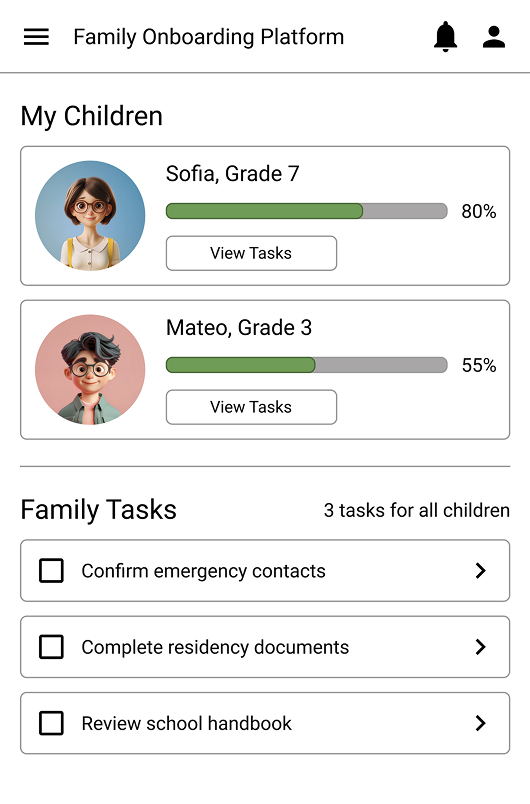
The problem is that there is plenty of information, but there is a lack of clarity.
Problem
Newly enrolled families receive forms, emails, portals, deadlines, and instructions from multiple school departments. Parents can struggle to tell what is urgent, what is complete, and whether a submitted item has been approved.
Design direction
I explored a centralized onboarding dashboard organized around family, child, and task. The experience prioritizes outstanding actions while making progress and status easy to scan.
Understand
Map the journey, gather expert input, define questions and choose a target.
Sketch
Review patterns, run Lightning Demos, explore Crazy 8s and create a solution sketch.
Decide
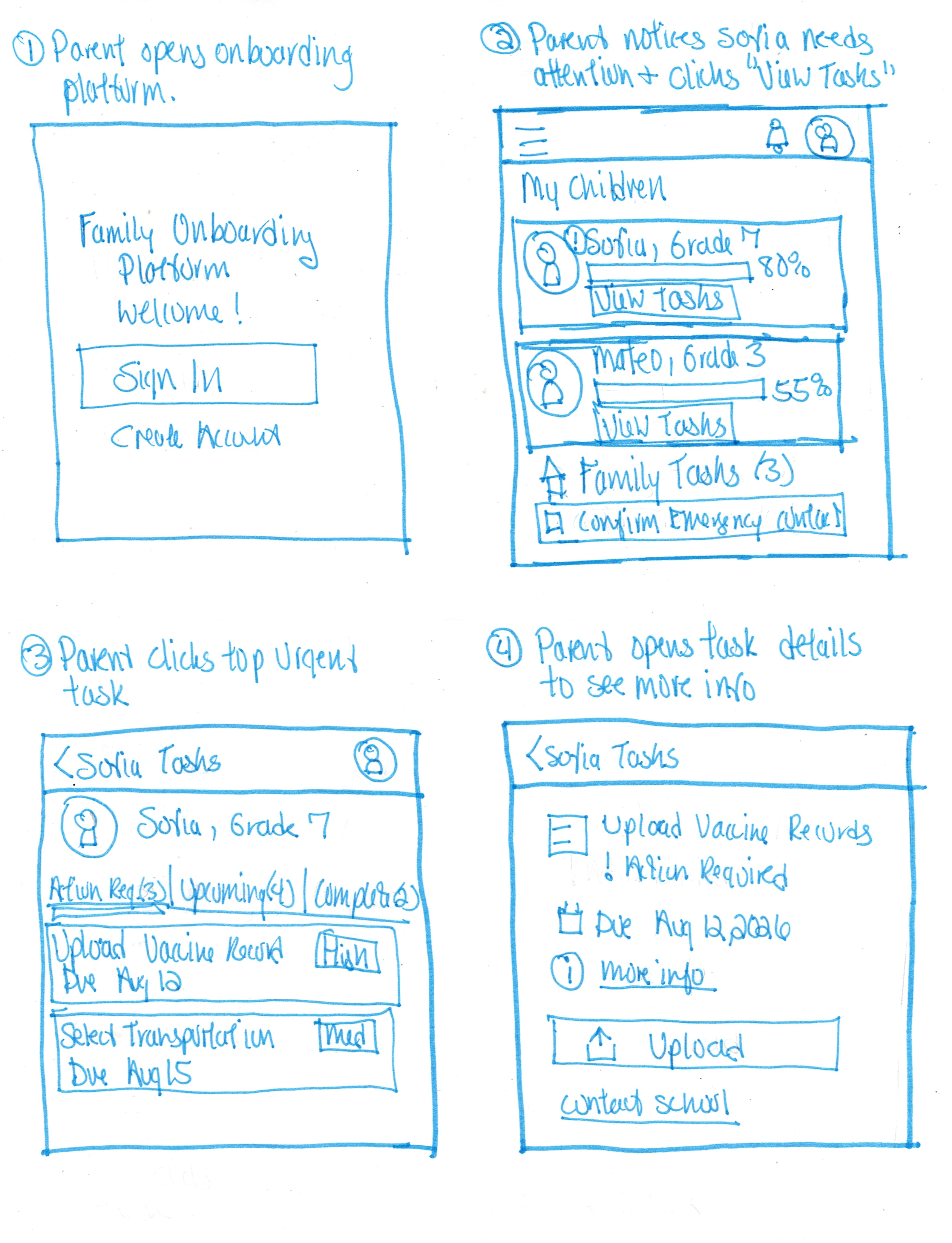
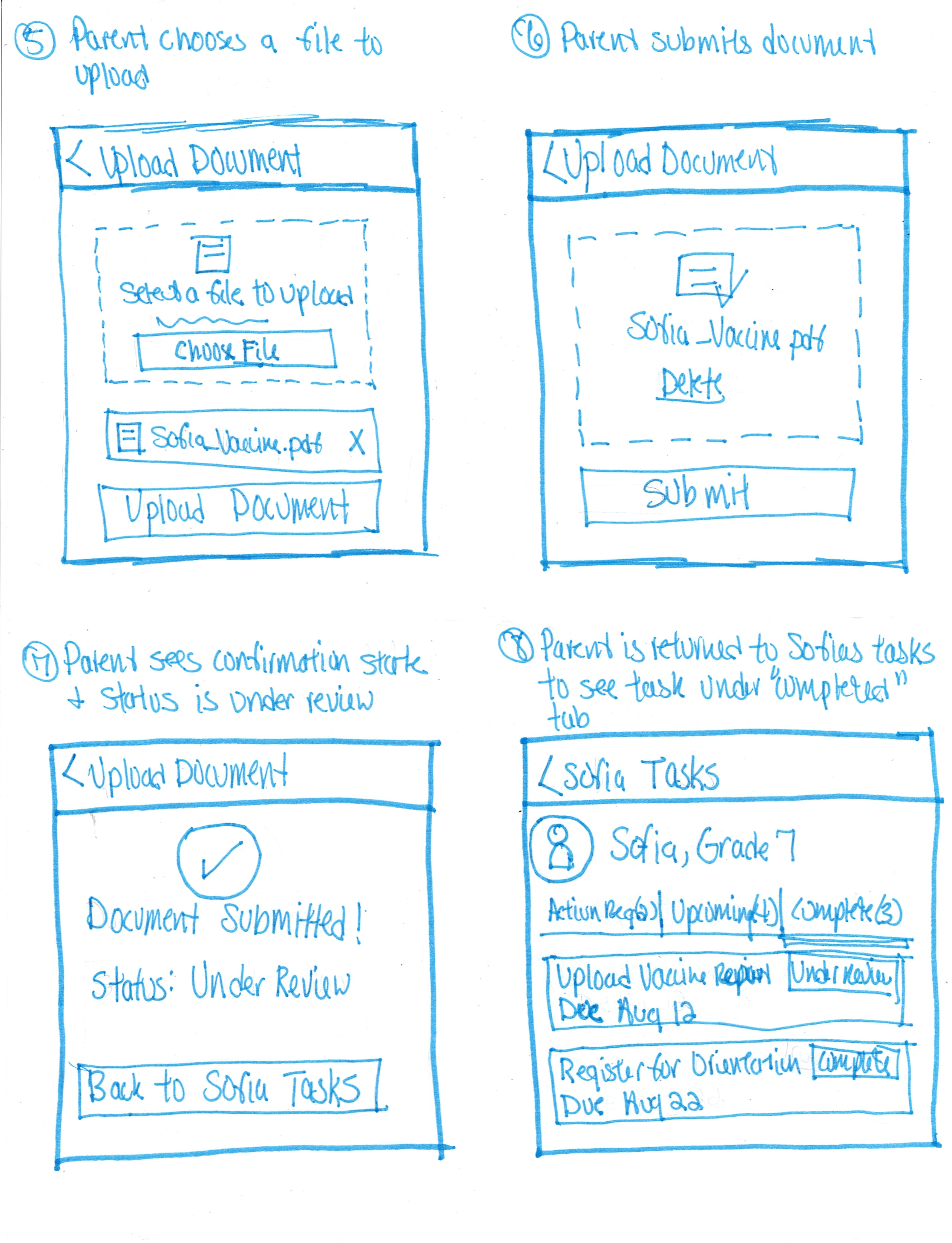
Choose the strongest direction, define the test flow and create a storyboard.
Prototype
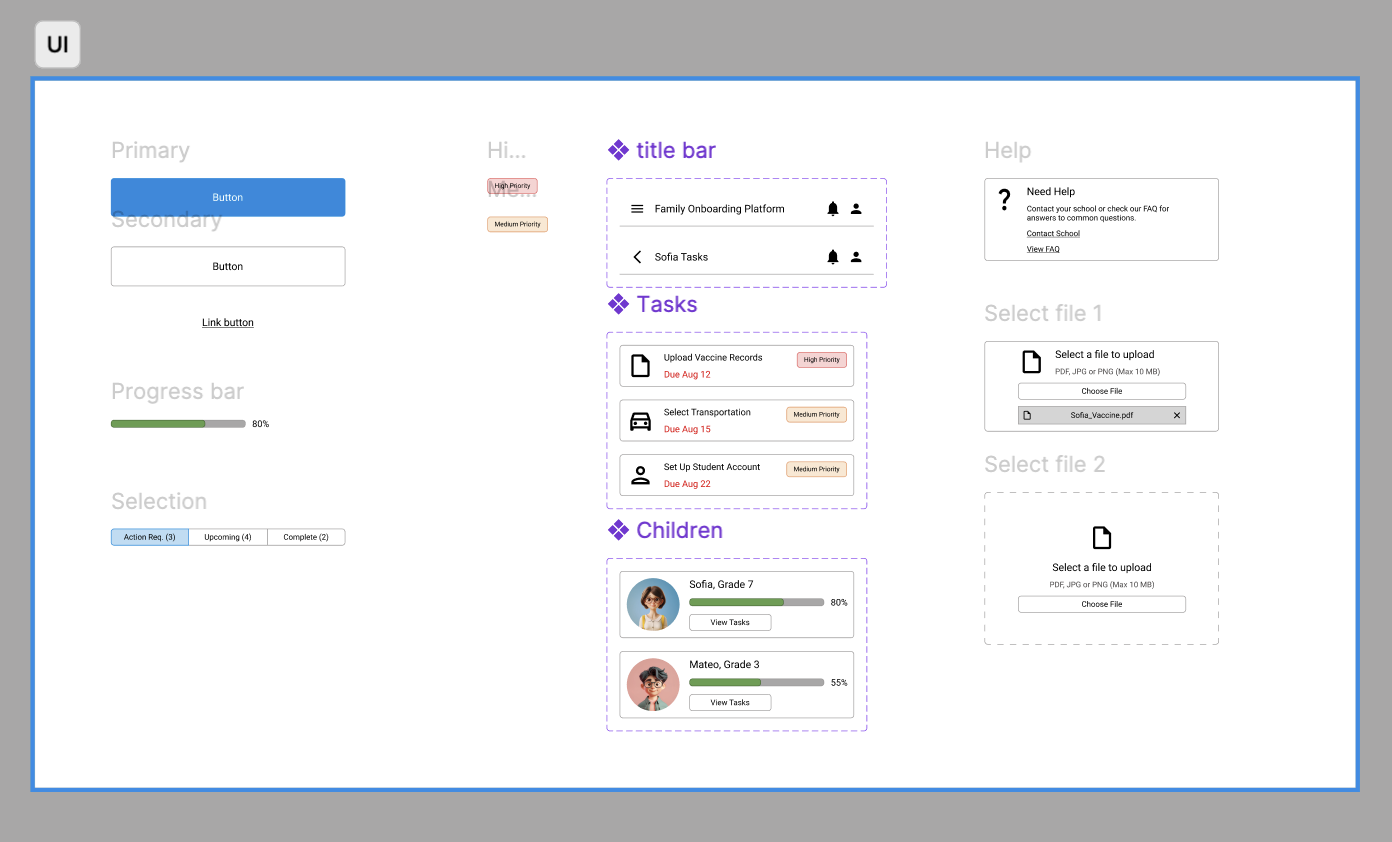
Build the core family → child → task experience with reusable components.
Test
Evaluate the prototype with five parent participants and prioritize improvements.
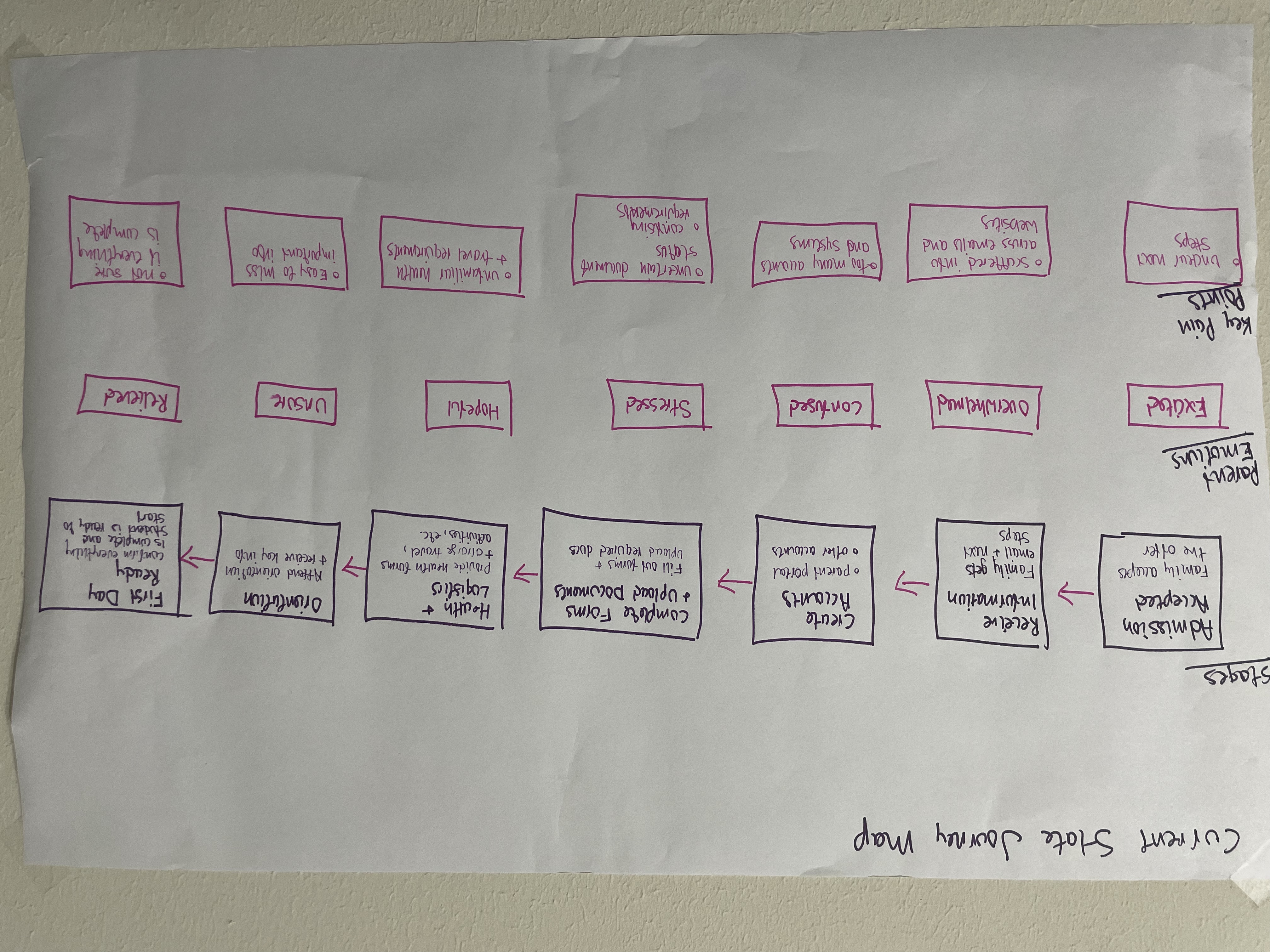
Map the onboarding experience
Expert input pointed to the same issue from different angles: information was spread across departments and parents lacked a reliable way to see progress, priority, and status.
Fragmented information
Requirements are distributed across email, forms, portals, PDFs, and individual departments.
Unclear status
Parents may not know whether documents were received, approved, rejected, or still under review.
Priority is hard to judge
Families need to understand what is urgent and what can wait without reading every message.
Day 1 takeaway
The opportunity was to create one clear source of truth that answers: What needs attention? What is complete? What happens next?
Explore patterns before committing to a layout
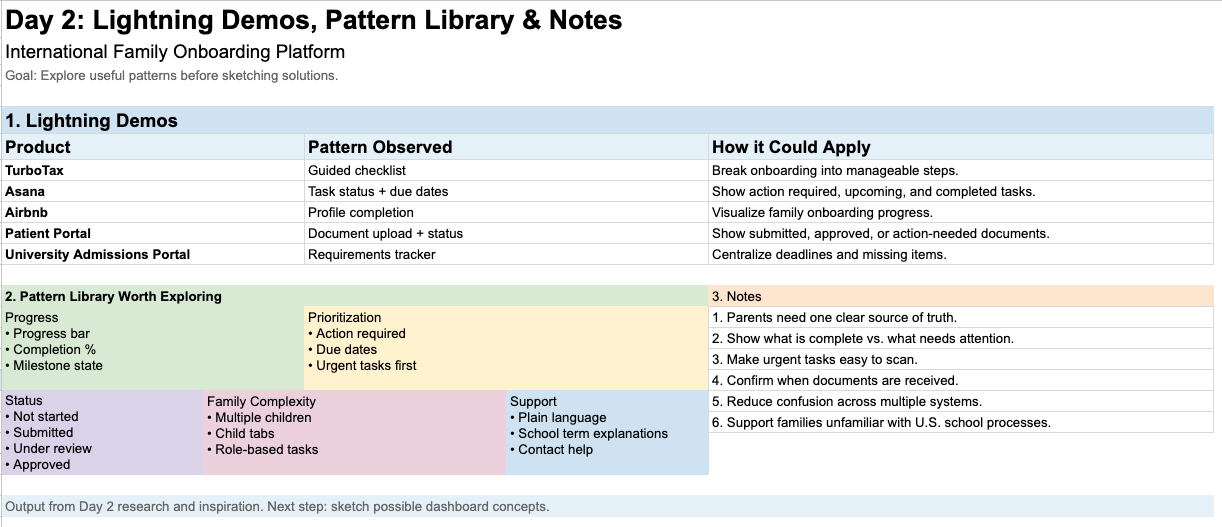
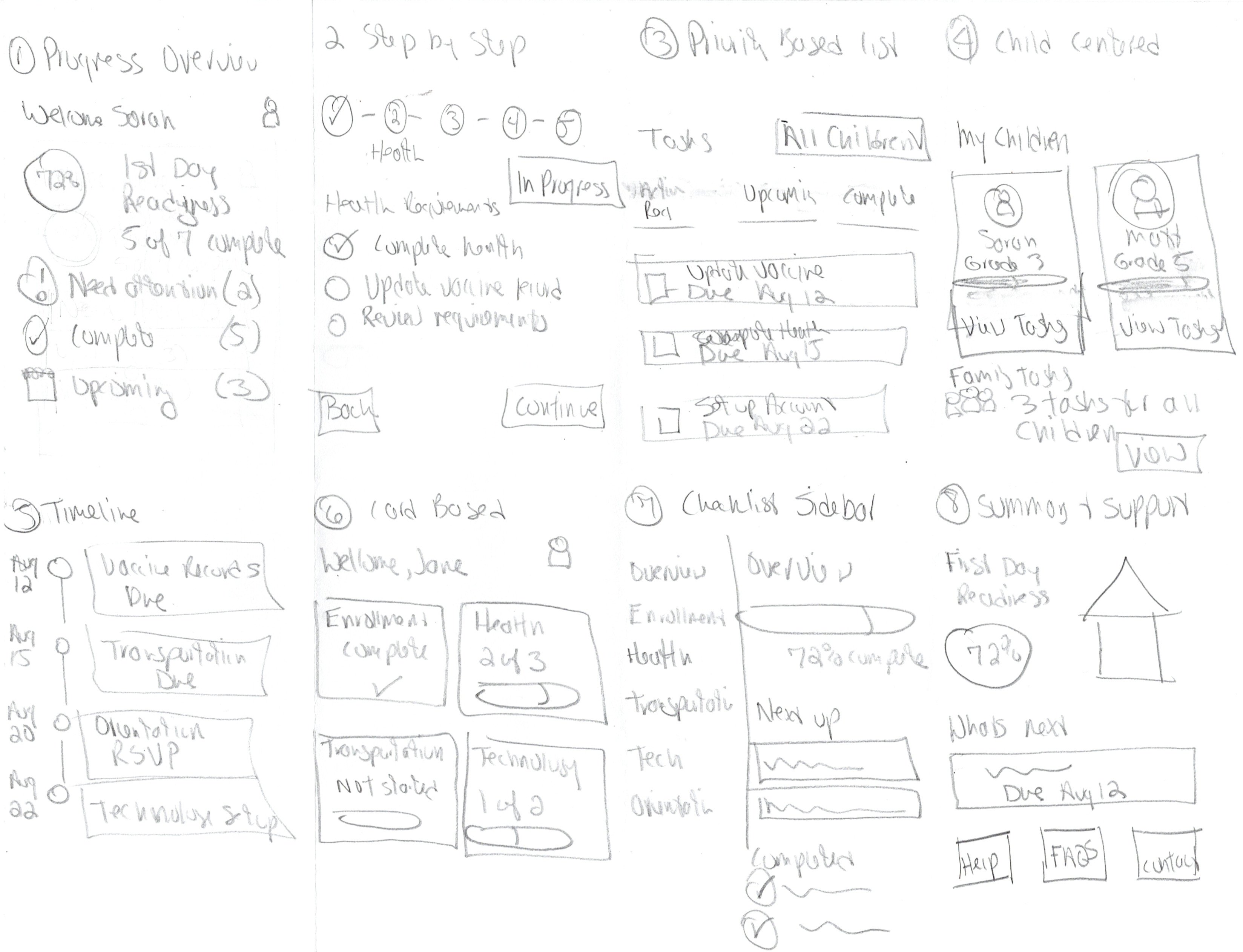
Lightning Demos helped identify useful patterns for progress, prioritization, document status, and task management. I then explored eight dashboard directions before selecting elements to carry forward.
Progress
Show first-day readiness without implying a submitted item is already approved.
Prioritization
Surface action-required items and due dates before less urgent work.
Family complexity
Support multiple children while keeping family-wide tasks distinct.
Converge on a family → child → task structure
The strongest direction combined the child-centered overview with the priority-based task list. That gave parents a simple information hierarchy without forcing onboarding into a rigid step-by-step process.
Selected direction
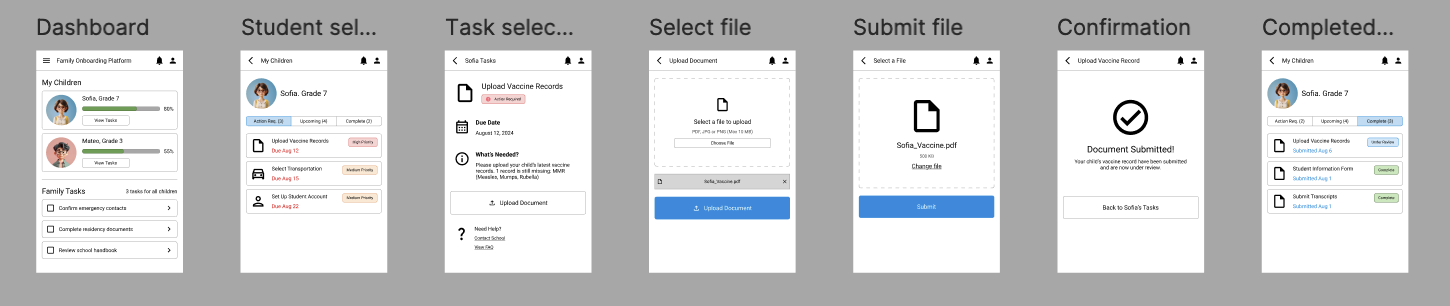
A child-centered dashboard where parents can compare progress, open a specific child's task list, and resolve the highest-priority requirement.
Build only what was needed to test the core flow
I created a focused prototype around one realistic scenario: a parent notices an outstanding health requirement, understands what is missing, submits a document, and sees that it is now under review.
Try the prototype
Follow the same task used in testing: find what Sofia needs and complete the required action.
Test the flow with five parents
Participants were asked to check whether Sofia had anything requiring attention and complete the needed action. The core flow was successful, while testing exposed opportunities to improve task ownership and status clarity.
What worked
The child-centered structure and priority-based task list were easy to scan. Parents quickly found the task that needed action.
What needed refinement
Some parents were unsure whether family tasks applied once or to each child, and “Under Review” needed stronger explanation.
Complete these once for all enrolled children.
No action needed from you.
The sprint validated the core information architecture.
The family → child → task structure gave parents a clear way to move from overall readiness to a specific action. The next iteration would expand the system to additional onboarding categories, strengthen multilingual support, and explore the staff-side workflow required to review and approve submitted documents.